Lesson 1

 What is empowerment technology?

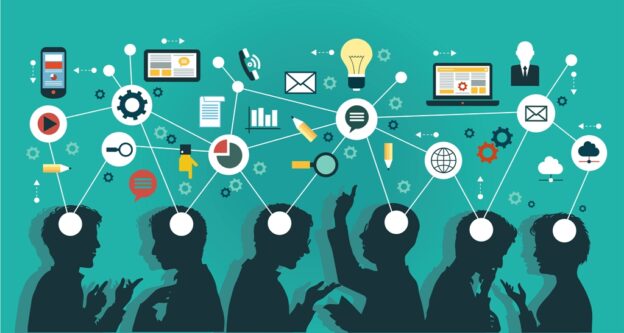
Empowerment Technology, also known as E-Tech, is frequently concerned with the use of various technologies such as mobile phones, telephones, computers, and other devices to locate, save, communicate, and inform. Empowerment Technology is important because of its innovative applications in our daily lives. Empowerment Technology is important for three reasons: communication, making our lives easier, and making our lives more enjoyable. 

Empowerment Technology is important because it serves as a means of communication. Many gadgets and other devices have improved its uses over the years. Previously, a mobile phone was only used for texting, calling, and playing simple games. Because of technological convergence or the way technology changes or evolves its system, a cellular phone is now used for more than just texting, calling, and playing games. It is now used for communicating with people from other places via the internet and applications or softwares such as facebook, messenger, twitter, viber, kakao talk, and so on, which are consistently used by the majority of us. Without these applications or softwares, we would be unable to communicate with people who live far away on a daily basis. Because Empowerment Technology is well-known among all of us, communicating with people who live far away will no longer be a problem. Friendships that had been shattered by distance can now be repaired thanks to the use of Empowerment Technology.

Empowerment Technology is important because it makes our lives easier in a variety of ways, including school matters, office or work matters, and personal matters. Previously, blackboards and whiteboards were among the tools used in the classroom to teach students. There are now LCD projectors that are widely used in many institutions and schools. We’d all be stuck with those visual aid presentations if we didn’t have these presentation softwares. Empowerment Technology not only saves time, but it can also make our lives easier.

Empowerment Technology is important because it aids our country’s modernization plans. We now live in a world where everyone is updating their systems. It’s referred to as modernization. Empowerment technologies can aid in modernization by strengthening our plans to compete with other countries by developing new technologies for the betterment of our country. The Philippines has the potential to compete with other countries such as Finland, Japan, and the United States – and its success in the field of technology has far exceeded everyone’s expectations. 

Reflection: Empowerment technology helped me see how powerful ICT really is. It reminded me that I can use technology not just for entertainment but also for learning, helping others, and creating change. Technology can empower us to become better students, responsible citizens, and future professionals.

Lesson 2

How can i use the internet as a tool for effective research?

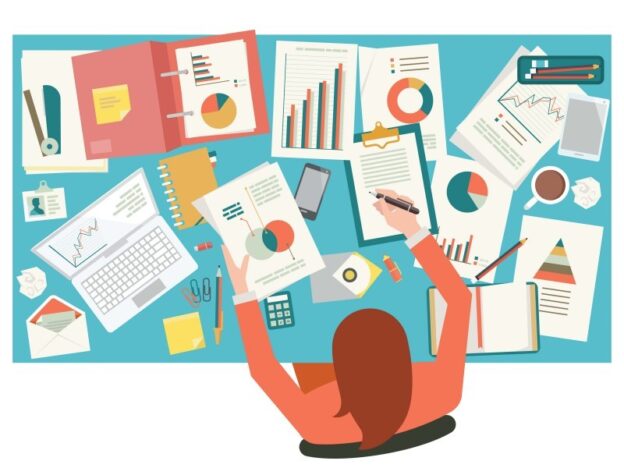
This lesson taught me the right way to use the internet as a research tool. I learned how to perform a contextualized search, use keywords effectively, and evaluate whether a source is reliable or not. I discovered that not all information online is trustworthy we need to check credibility, authorship, and publication date to make sure it’s accurate. ICT tools such as online databases, search engines, and digital libraries make research more efficient and accessible. We also discussed internet safety, security, and netiquette. I realized that being a responsible digital citizen means protecting our personal information and respecting others online. Practicing good online behavior is important, especially when collaborating with others in school or professional settings.

Reflection: Through this lesson, I became more confident in researching and finding credible information. I also learned the importance of verifying facts before sharing them. The internet is powerful, but it’s up to us to use it wisely and ethically

Lesson 3

How do i use advanced word tools to develop content?

This lesson helped me master the advanced features of Microsoft Word that make documents more professional and efficient. I learned how to use tools such as citations and bibliography, track changes, comments, mail merge, and document protection. These functions are very useful when writing reports, letters, or research papers because they help maintain accuracy and consistency. Working with these tools showed me how collaboration becomes easier when technology is involved. Features like comments and track changes make group editing possible even when we are not physically together. It also taught me the importance of proofreading and checking my work before submission.

Reflection: I realized that Microsoft Word is more powerful than I thought. It’s not just for typing but also for organizing and protecting information. These tools will surely help me in my future academic and professional work.

Lesson 4

How do i use advanced Excel tools to process and present data?

Excel may look intimidating at first, but this lesson helped me appreciate its usefulness. I learned how to use formulas and functions to perform quick calculations and organize large amounts of data. We also practiced sorting, filtering, and creating charts to visually present information. It made me see how Excel can turn raw numbers into meaningful insights. I also discovered that Excel is not just for accountants or businesspeople it can be used in almost any field. Whether for tracking grades, budgeting, or analyzing survey results, Excel can make data more understandable and presentable.

Reflection: This lesson helped me develop my analytical and problem solving skills. I now feel more confident in handling data and using it to tell a story. Excel taught me that presenting information clearly is just as important as gathering it.

Lesson 5

What are advanced PowerPoint tips and tools for effective slide presentation?

In this lesson, I learned how to create presentations that are clear, creative, and professional. We explored the top ten slide design tips, learned how to use SmartArt, and discussed the importance of visual communication. PowerPoint is not just about adding text to slides it’s about communicating ideas effectively through visuals, layouts, and structure. I learned that too much text can make slides boring, while the right combination of visuals and short points keeps the audience engaged. SmartArt and animations can make presentations dynamic, but they must be used carefully to avoid distractions.

Reflection: This lesson improved my confidence in presenting ideas. I realized that presentation design is a skill that helps us influence and inform others. A well-made PowerPoint can turn complex topics into something understandable and inspiring.

Lesson 6

What are ways we can use to create and manipulate images to convey information?

This lesson focused on how images can tell stories and convey information more powerfully than words alone. I learned about the elements and principles of design, such as balance, contrast, color, and alignment. I also discovered different image file formats and how to use tools like GIMP for photo editing and manipulation. Through hands-on activities, I experimented with creating simple posters and edited images for online use. I learned how visual design affects communication a well-designed image can catch attention, explain ideas, and persuade people more effectively.

Reflection: I realized that visual communication is an essential skill in today’s digital world. Images can influence how people understand messages, and learning how to design them properly made me appreciate the art behind communication.

Youtube link : https://youtu.be/RMpKJNmrW3M?si=kG9Uk1CsAD5lFE-J

Lesson 7

How do we use infographics to present the data we have?

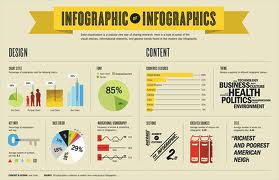
Infographics combine graphics, charts, and text to explain information quickly and clearly. In this lesson, I learned about the difference between graphic design and information design, as well as the elements of an effective infographic. Using tools like Piktochart, I was able to create my own infographic to summarize data and present it visually. Designing an infographic requires creativity and clarity. It made me think critically about how to simplify data while still keeping it informative and attractive. Choosing the right colors, icons, and layout made a big difference in how the information was understood.

Reflection: I enjoyed this lesson because it allowed me to express creativity while learning how to organize data. Infographics helped me realize that good design makes learning faster and easier. It’s a skill that’s very useful in education, marketing, and communication.

Lesson 8

How do we upload and share our files online?

This lesson introduced me to different online storage and sharing platforms such as Google Drive, Dropbox, and OneDrive. I learned how to manage files efficiently, organize folders, and control access permissions when sharing with others. We also discussed image and video hosting platforms for publishing media content online. I understood that managing digital files is an important part of being organized and collaborative. It helps prevent data loss, keeps projects accessible, and makes teamwork smoother. Knowing how to back up and secure files also protects us from losing important information.

Reflection: I realized that online file management is a skill that will help me both in school and in real life. Being able to share files safely and efficiently makes collaboration easier and builds trust in teamwork.

Youtube link : https://youtu.be/Lx0sozfFVv8?si=l9GR85_gATb_Ubou

Lesson 9

How do we use videos as media to convey information?

In this lesson, I explored how videos are used to tell stories, share information, and persuade audiences. We learned about storyboarding, video production steps, and editing applications that help create polished outputs. I realized that making a video requires both creativity and planning — from writing scripts to editing clips and adding sound. Creating my own short video project helped me understand how visuals, audio, and pacing work together to deliver a message. It was challenging but fulfilling to see my ideas come to life on screen.

Reflection: Videos are powerful communication tools that can educate, entertain, and inspire. This lesson made me appreciate how much effort goes into producing quality content. It also taught me how to express my thoughts more confidently through multimedia.

Lesson 10

Which online platform should i use?

For our final lesson, we explored different online platforms for publishing content from social networking sites and blogging sites to content management systems like WordPress. I learned how to set up a free WordPress website and customize a blog-style theme to publish my reflections and activities from Lessons 1–9. This lesson helped me understand the importance of choosing the right platform for content creation. Blogging allows us to share knowledge, showcase skills, and connect with others globally. WordPress, in particular, is a great tool for building a digital portfolio that can serve as both a learning record and a personal website.

Reflection: Creating my own WordPress site made me feel proud of what I’ve learned throughout this subject. It showed me how ICT can be used to create, communicate, and inspire. I also learned that sharing what we know can empower others to learn as well.

Website : WordPress.com